🔐 WordPress OTP Verification Form
Add SMS OTP mobile number verification to your WordPress contact form using the SE Contact Verification Form plugin and iSMS.
Add OTP Mobile Verification to Your WordPress Contact Form
The SE Contact Verification Form plugin adds SMS OTP mobile number verification to your WordPress contact form — reducing spam and confirming each visitor has a valid phone number.
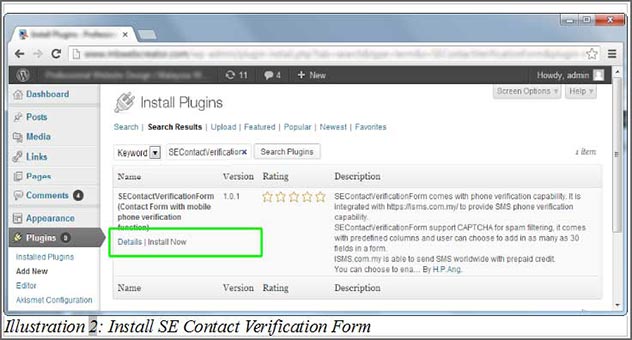
%pin% from the message template.In WordPress admin, go to Plugins → Add New. Search for SE Contact Verification Form and click Install Now.
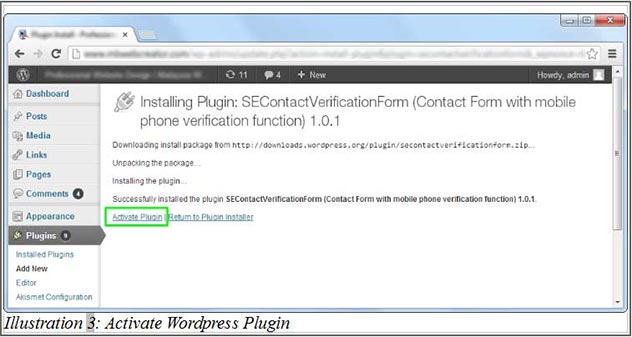
Click Activate Plugin after installation.
Go to Settings → SE Contact Form Verify to configure the plugin.

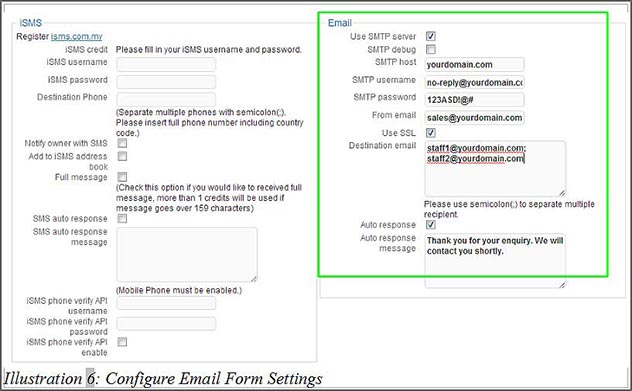
Fill in your SMTP email settings. Use a dedicated email e.g. [email protected].
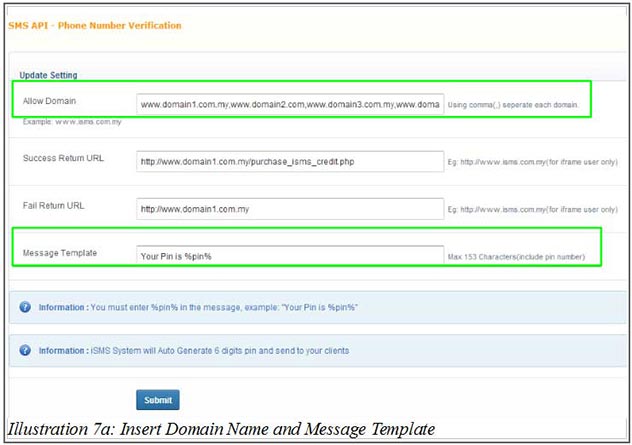
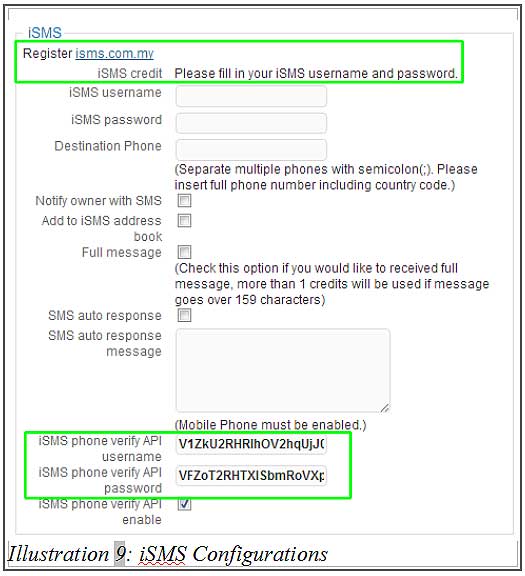
In your iSMS portal, go to SMS Extra → SMS Verification. Register your domain and copy the generated username/password.
Paste the iSMS username and password into the plugin settings. Configure any additional options (SMS auto-response, destination phone).
Configure your form fields — tick Required for mandatory fields.

Add the shortcode [secontactverificationform] to any page/post as HTML. The form with OTP mobile verification is now live.

Need Help Getting Started?
Contact our team — we reply within 1 business day.