Home›Export Excel to CSV (Mac OS)
🍎 Export Excel to CSV (Mac OS)
Save your Microsoft Excel spreadsheet as a CSV file on macOS in 3 steps — then upload to iSMS for bulk SMS.
Step-by-Step Guide
Save Excel as CSV on Mac OS
Export your Microsoft Excel contact list as a CSV file on macOS — compatible with iSMS CSV bulk upload.
ℹ️
Applies to Microsoft Excel 2008 and later on macOS. The resulting CSV can be uploaded directly to iSMS for bulk SMS sending.
1
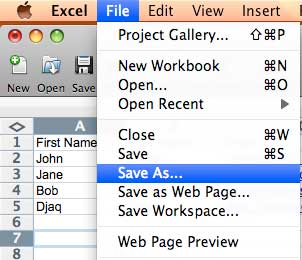
Open your Excel spreadsheet. Go to File → Save As…
2
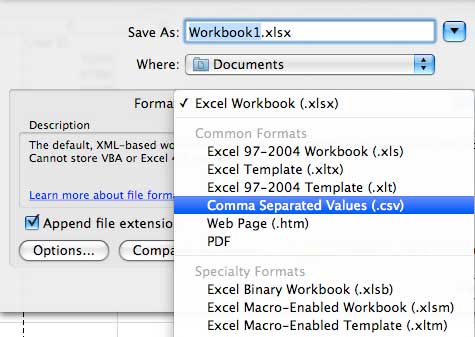
In the Save dialog, click the Format dropdown and select Comma Separated Values (.csv).
3
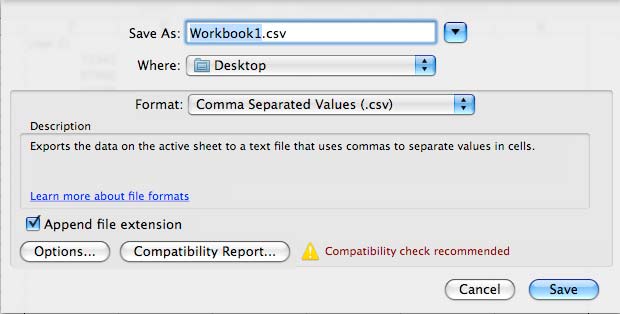
Choose a filename and save location, then click Save. Your CSV is ready to upload to iSMS.
Need Help Getting Started?
Contact our team — we reply within 1 business day.