Home›Convert Semicolon → Comma CSV
📋 Convert Semicolon → Comma CSV
Fix CSV files that use semicolons instead of commas by changing one Windows regional setting — required for iSMS CSV bulk upload.
Step-by-Step Guide
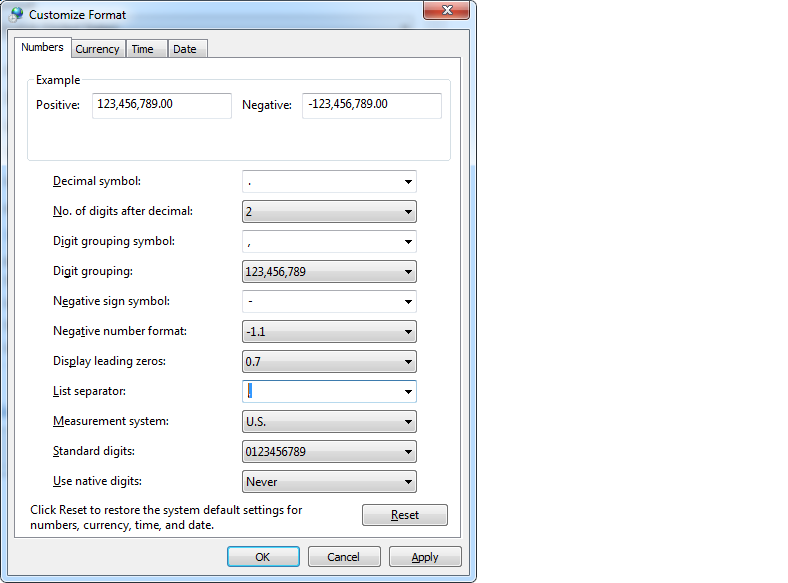
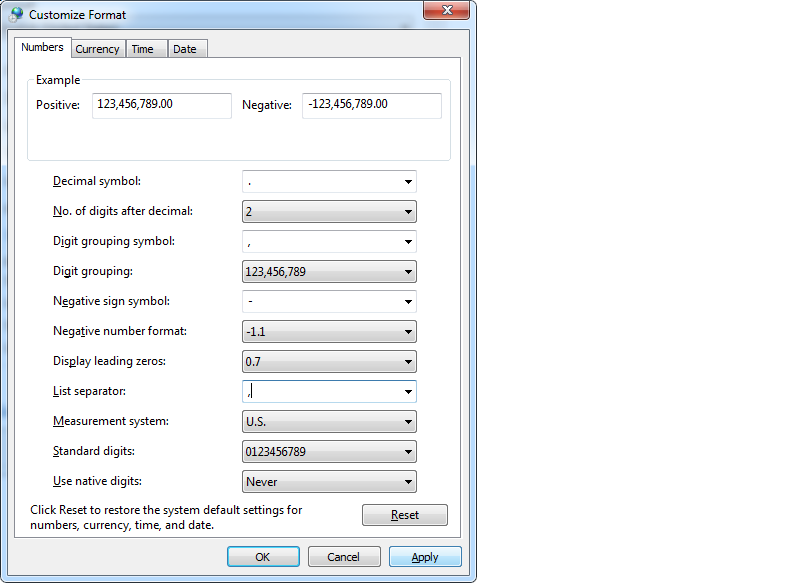
Change CSV Separator from Semicolon to Comma (Windows)
If your Excel saves CSV files with semicolons instead of commas, this is a Windows regional setting. Fix it in 6 steps:
ℹ️
iSMS CSV upload requires comma-separated files. If your contacts export with semicolons, follow these steps to fix it before uploading.
1
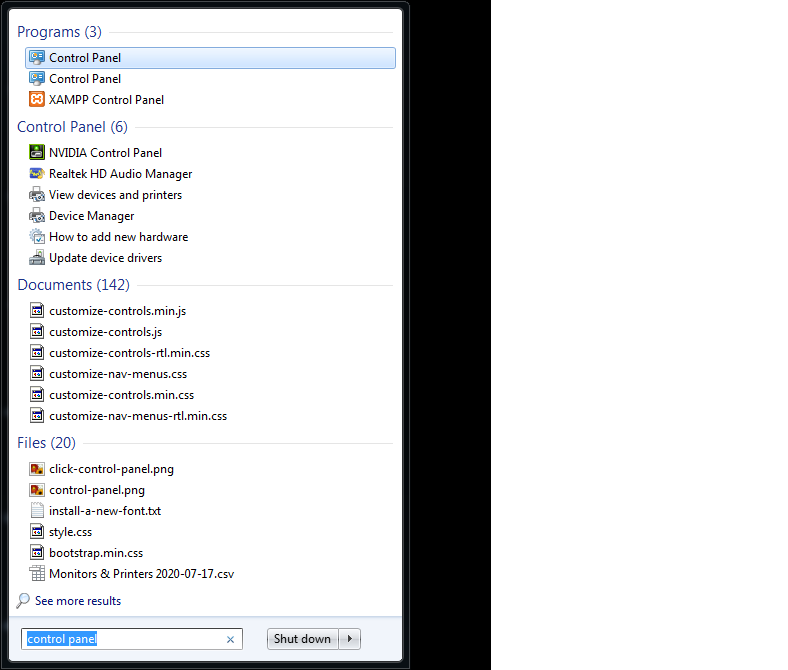
Click Start → type Control Panel → open Control Panel (Desktop App)
2
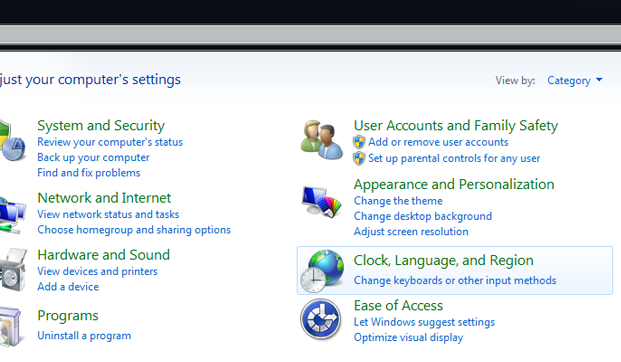
Select Clock, Language, and Region
3
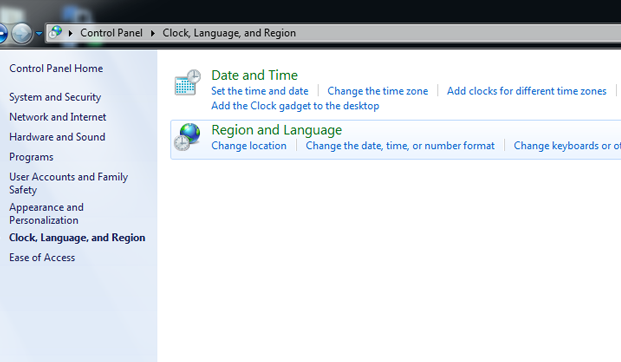
Click Region
4
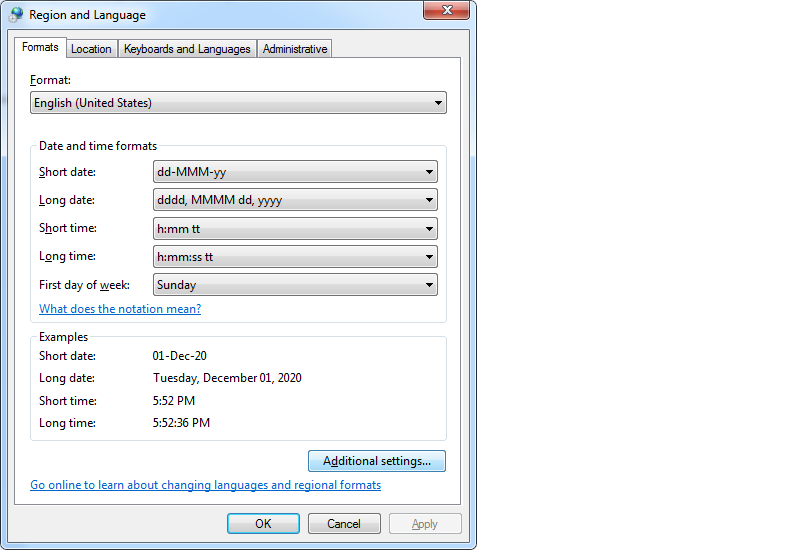
In the Region pop-up, click Additional Settings
5
Change the List separator field from ; to ,
6
Click Apply, then OK
✅
After applying, re-save your spreadsheet as CSV — Excel will now use commas as the separator. You can then upload the file to iSMS.
Need Help Getting Started?
Contact our team — we reply within 1 business day.