Home›Export Android Contacts to CSV
🤖 Export Android Contacts to CSV
Export your Android contacts to a CSV file in minutes — then upload to the iSMS Address Book for your bulk SMS campaign.
Step-by-Step Guide
Export Android Contacts to CSV
Use the free Contacts CSV Export Android app to export your phone contacts to a CSV file — then upload directly to the iSMS Address Book.
ℹ️
Free app available on Google Play. Supports comma or semicolon delimiter — choose comma for iSMS compatibility.
1
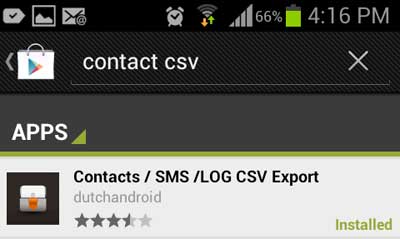
Go to Google Play and search for Contacts CSV Export (by DUTCHANDROID). Tap Install.
2
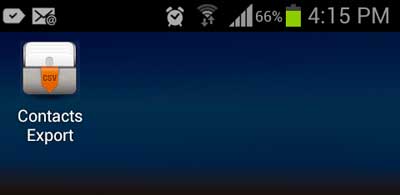
Open the app from your Android home screen.
3
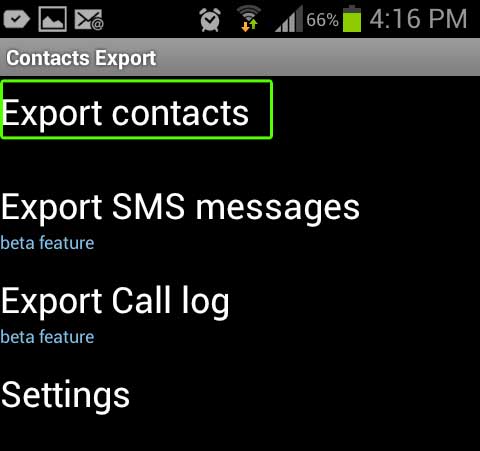
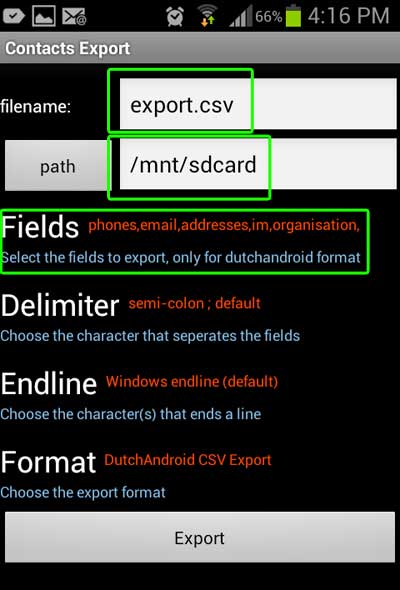
Tap Export Contacts. Enter a filename and choose where to save the CSV file.
4
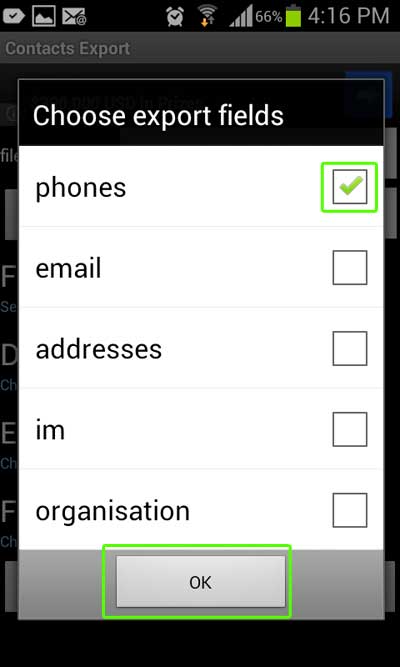
Tap Fields to select which fields to export.
5
Select Phones only → tap OK.
6
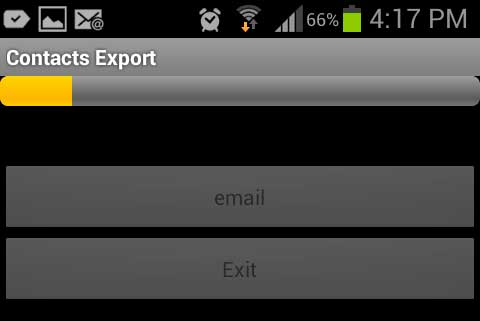
Tap Export. Your CSV file is saved to the chosen location — ready to upload to iSMS.
Need Help Getting Started?
Contact our team — we reply within 1 business day.