Chapter 46 · Part 6
Send a Messenger Message
Send one text message or file to up to 20 of your Facebook Page’s contacts in a single go — ideal for quick follow-ups to customers whose reply window is still open.
Send in two steps
- 1
Choose the Page and contacts
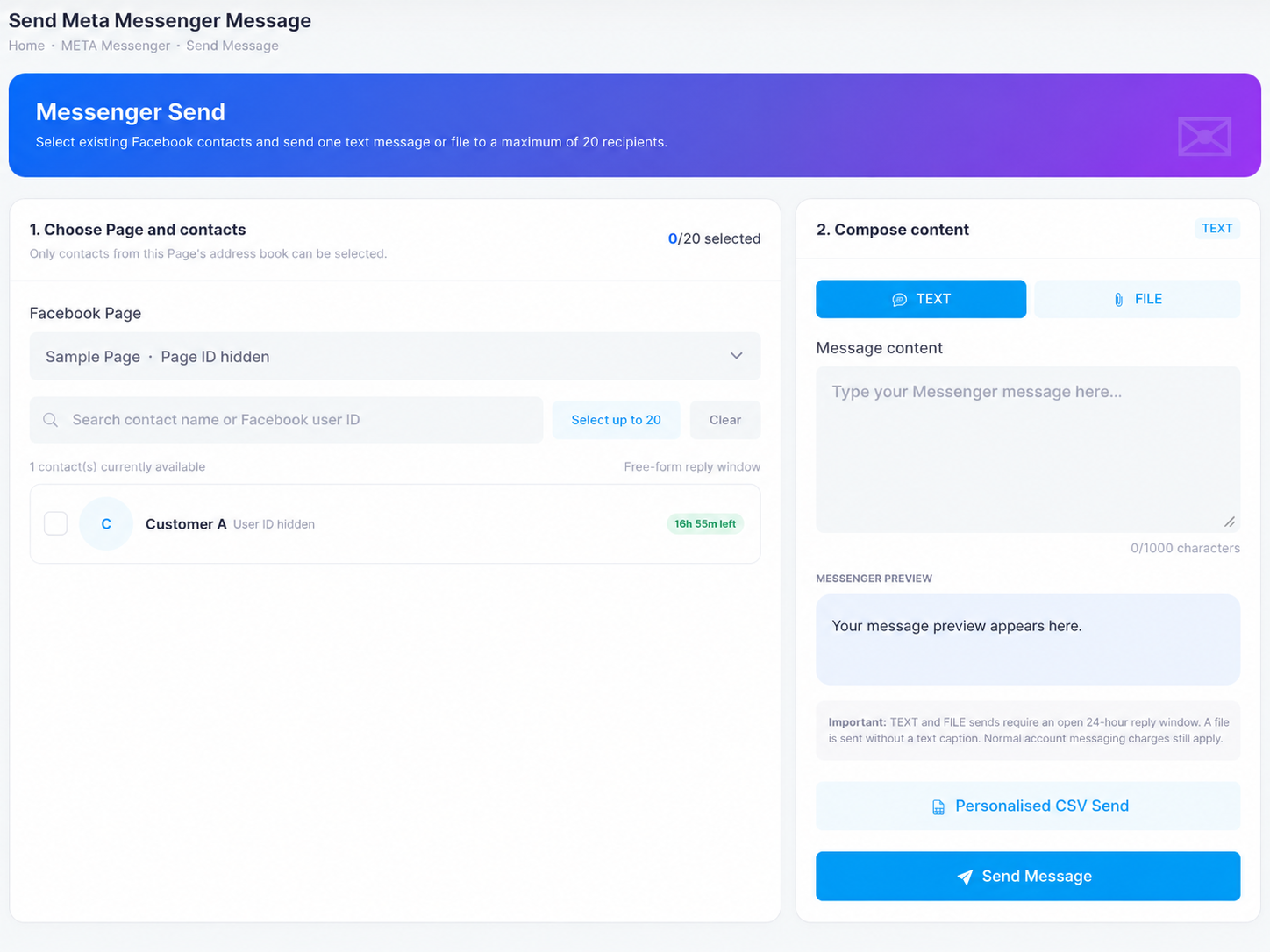
Open META Messenger → Send Message, pick your Facebook Page, and tick up to 20 contacts. Only contacts from that Page’s address book can be selected, and each shows how much of its free-form reply window is left (e.g. 16h 55m left).
- 2
Compose and send
Switch between TEXT (up to 1,000 characters, with a live Messenger preview) and FILE (one attachment). Click Send Message — the same content goes to every selected contact.
The rules that matter
- An open 24-hour reply window is requiredTEXT and FILE sends only reach contacts who messaged your Page within the last 24 hours — that’s why each contact shows its countdown.
- A file is sent without a text captionNeed words with it? Send a text message as well.
- Normal charges applyEach accepted message is charged per message from your Messenger credit balance.
- Need more than 20, or personalisation?Use Personalised CSV Send — up to 1,000 contacts with per-contact placeholders.
Need help?
Our team is happy to assist with anything in this guide. Contact us →