Chapter 48 · Part 6
Messenger Outbound & Inbound Reports
Two mirror-image reports: Outbound tracks every message you sent — delivery, reads, and charges — while Inbound shows who’s messaging your Pages and what they send. Both export to CSV.
Outbound report
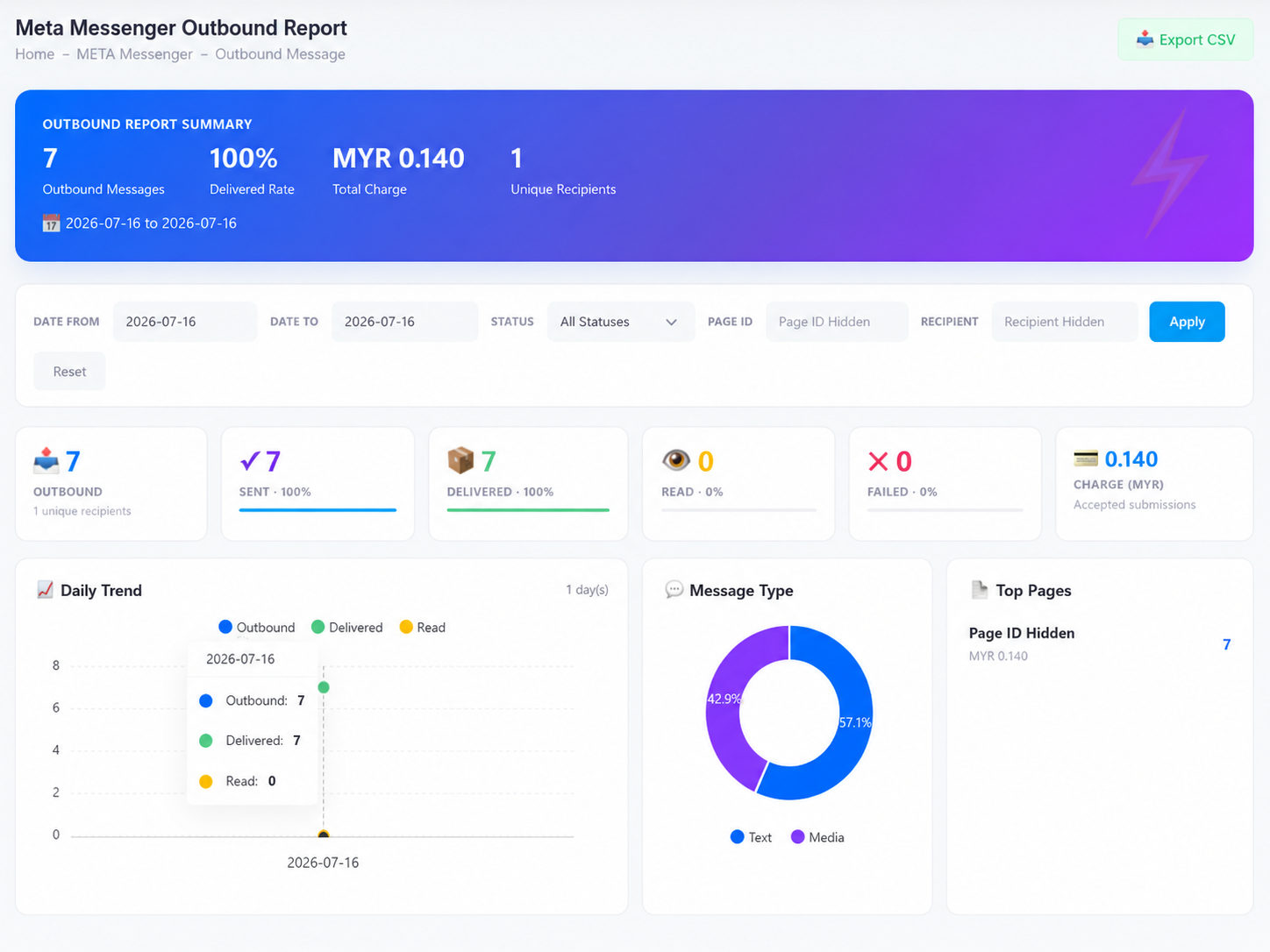
Open META Messenger → Outbound Message. Filter by date range, status, Page ID, or recipient. The summary band shows outbound volume, delivered rate, total charge, and unique recipients, with the delivery funnel below:
The outbound funnel
Sent
Accepted for delivery
Delivered
Reached the customer
Read
Opened by the customer
Failed messages get their own card — the charge card counts accepted submissions only.
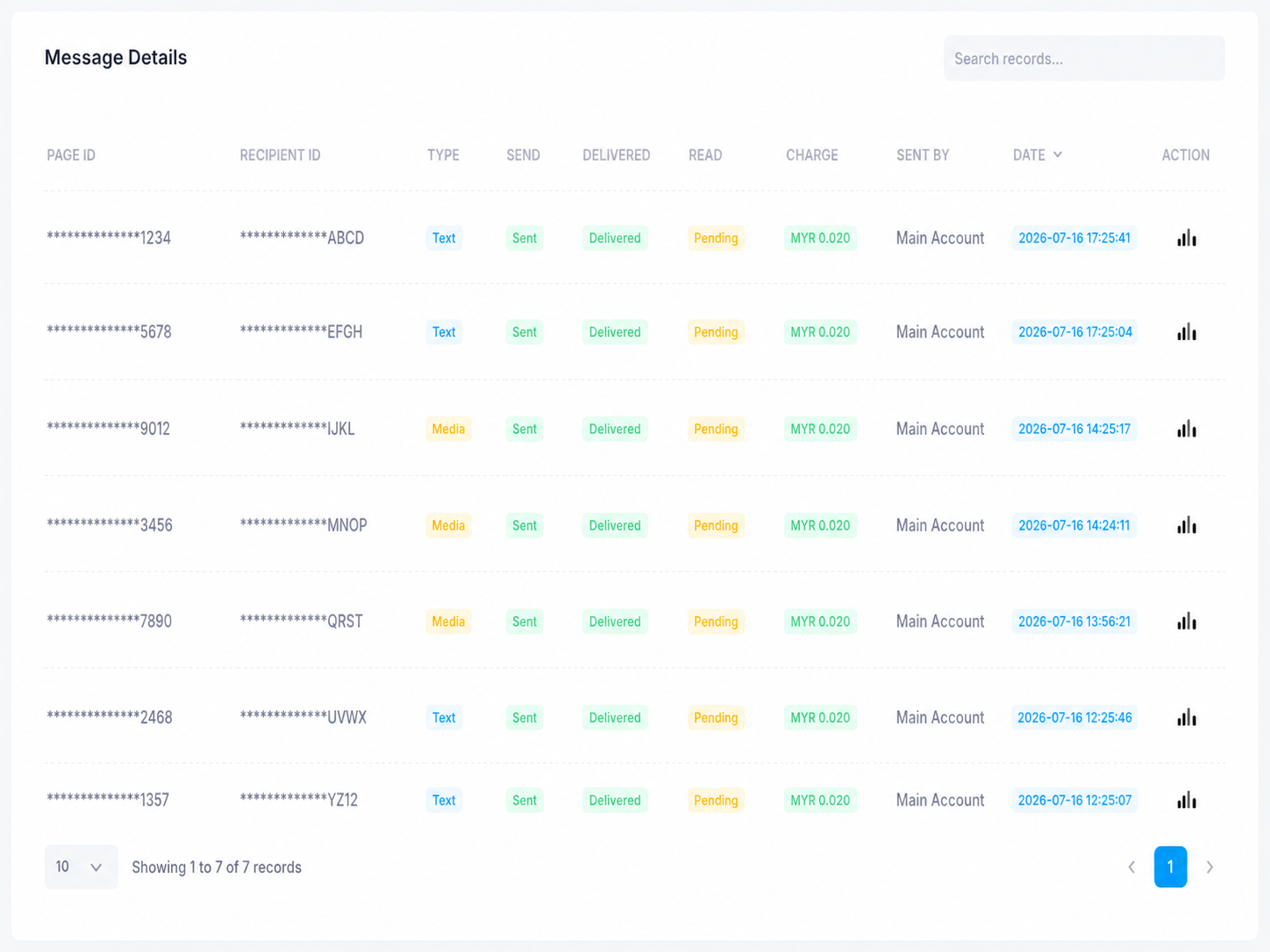
Charts break the traffic down by daily trend (outbound / delivered / read), message type (text vs media), and top Pages with their charges. The Message Details table lists every message — Page ID, recipient ID, type, send / delivered / read status, the individual charge, who sent it, and when.
Inbound report
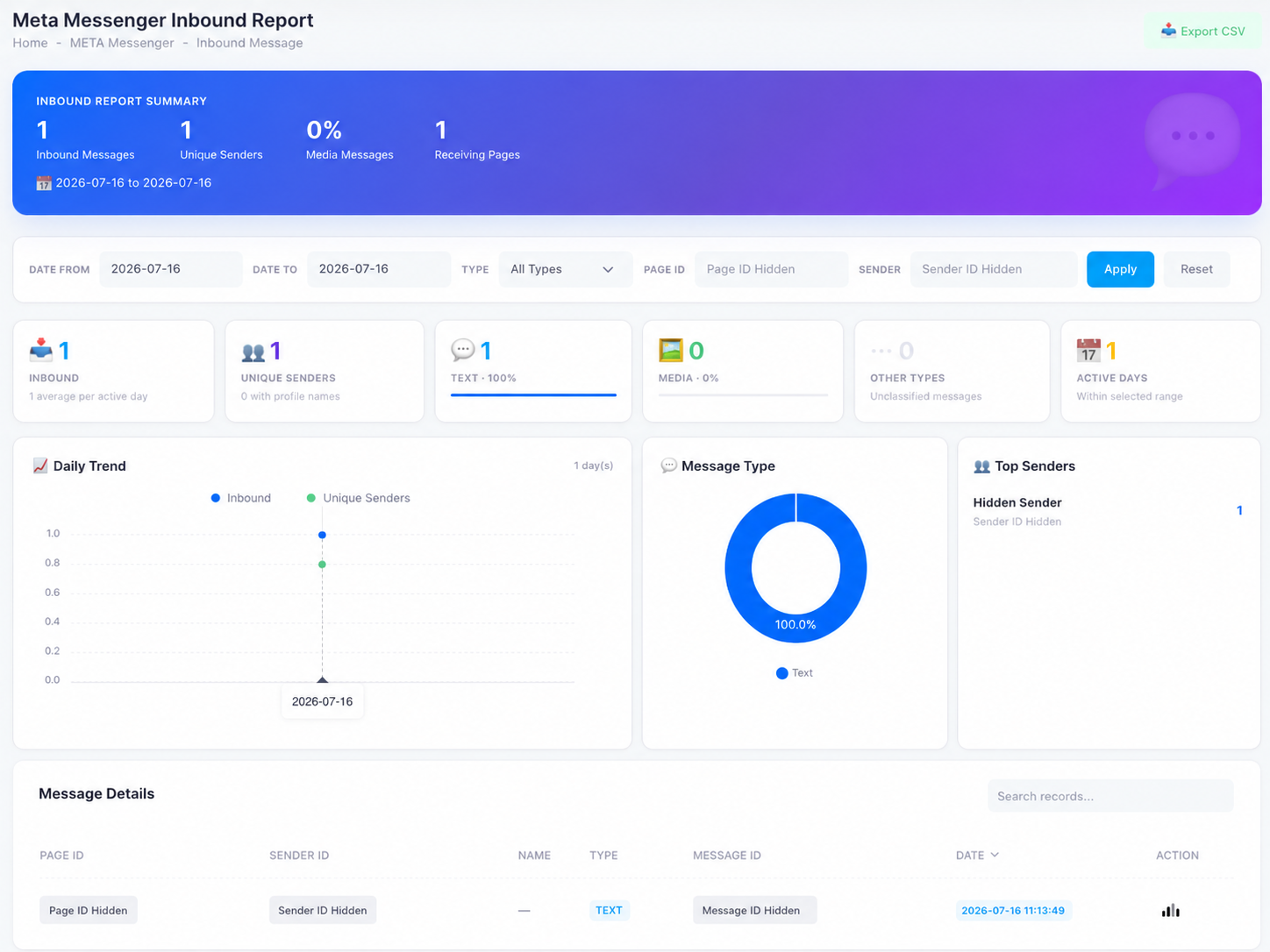
Open META Messenger → Inbound Message. Filter by date, message type, Page ID, or sender. You get:
- SummaryInbound messages, unique senders, the share of media messages, and how many Pages received traffic.
- Cards & chartsText vs media vs other types, a daily trend of inbound volume and unique senders, and your top senders.
- Message detailsEach incoming message with its Page ID, sender ID, name, type, message ID, and time.
Remember: inbound messages are free — only your replies are charged.