Chapter 22 · Part 3
Country Login Whitelist
A geographic lock on your account: logins are only allowed from the countries you approve. Attempts from anywhere else are blocked automatically — an extra layer against unauthorised access.
How it works
Find it under User Profile → Access Control. When the whitelist is active, only the listed countries can sign in — logins from any country not on the list are refused, even with the correct password.
Whitelisted countries
Allowed
Access policy
Enforced
The table lists every country currently permitted, with its country code and status. In the example below, sign-in is limited to Malaysia and Singapore; an attempt from anywhere else would be blocked.
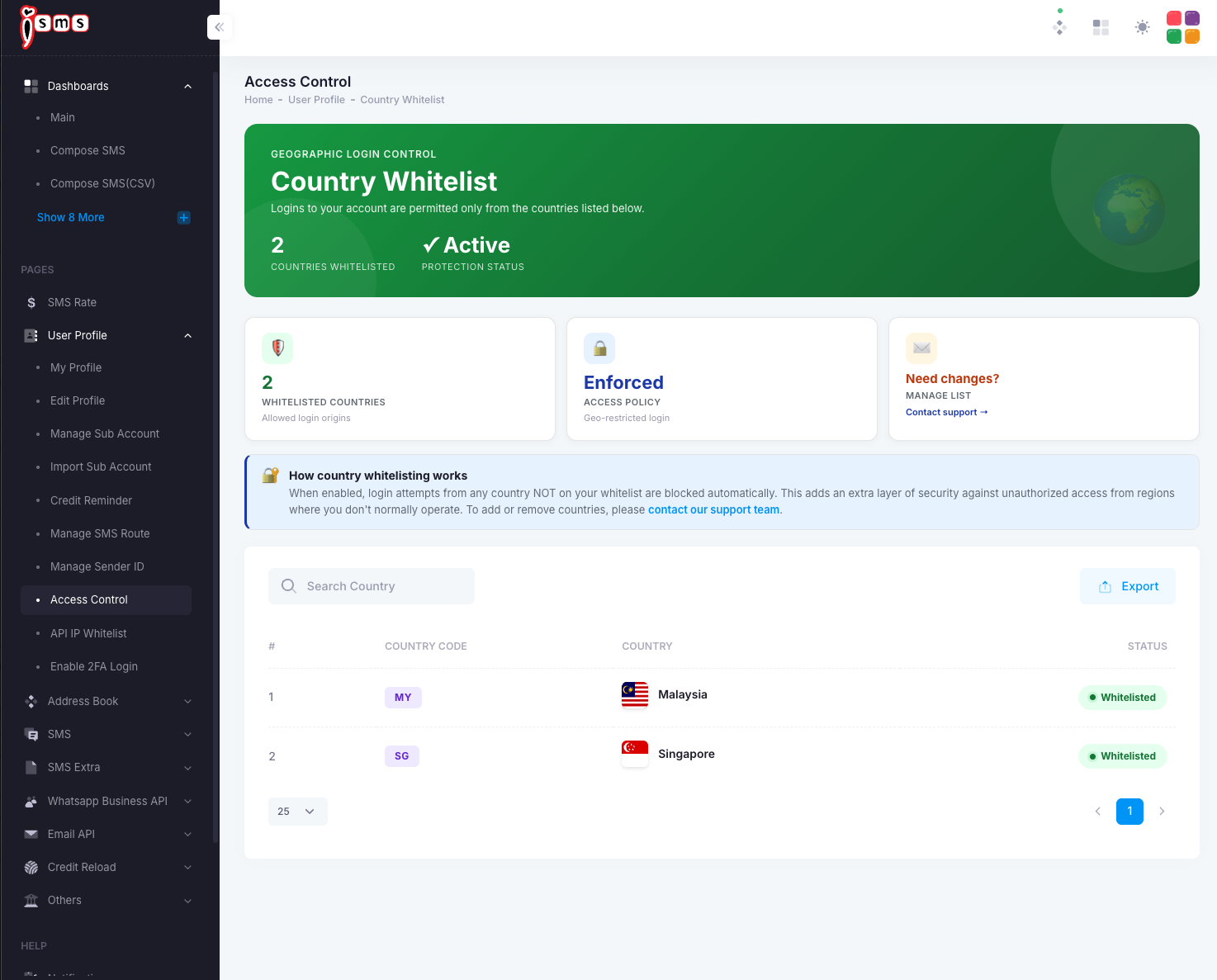
Managed by support. To add or remove a country from your whitelist, contact our support team (use the Contact support link on the page) — this keeps the security setting tamper-resistant.
Need help?
Our team is happy to assist with anything in this guide. Contact us →