 |
 iSMS Malaysia Bulk SMS Solution1800 87 7061 (Malaysia Toll Free) +603 2780 3880 (KL) |
Bulk SMS Malaysia Sub Account Report1. Before starting, you need to have an iSMS account. To register, please click HERE to be iSMS member to obtain your iSMS account username and password. 2. After logging into iSMS, you are allowed to create multiple sub accounts to cater your needs. If you are the main administrator, you can check the Sub Account Report through "Sub Account Report" tab. You will able to see the the report page as illustrated below. 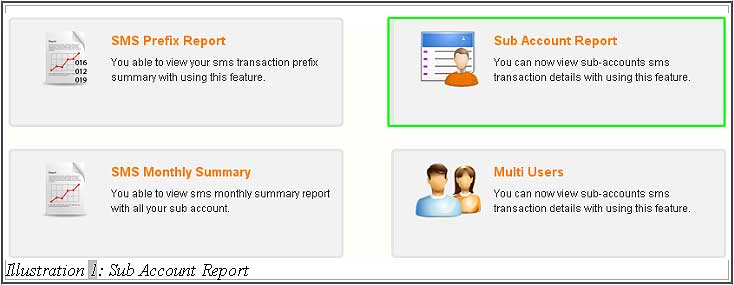
3. The highlighted sample is showing a small stretch of days in the month of July. You, as the main administrator can check the status of the sub account in active. For example, a sub account "sisi" has used 1 credit on 1st of July. Other highlighted parts also shows you (administrator) the total credit used. 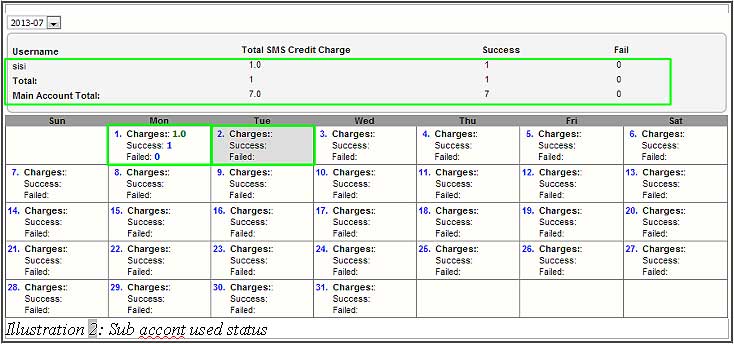
Other Contact MethodsFor further enquiries, please contact us via the information below: E-mail | [email protected] Phone Numbers:
Fax:
|
 iSMS Rates
 Customised SMS Integration

 Need Support?